
Images usually fail at the last moment. Not because they are bad, but because something small is still in the way. A logo overlay, a faint text mark, a repeated pattern that doesn’t belong anymore. These details are easy to ignore during drafting, yet impossible to ignore when it’s time to publish. This is where AIEnhancer fits in, focusing on cleanup that removes friction without changing how you work.
Why Image Cleanup Is Still Slowing People Down
“Good enough” images that never ship
Many images sit in folders because they are almost usable. The framing works. The subject is clear. But a visible mark makes the image feel unfinished. People tell themselves they’ll fix it later, but later tends to drift. Over time, these images pile up, quietly wasting effort that has already been spent.
Manual editing feels heavier than the problem
Traditional image editors are powerful, but power comes with overhead. Even a simple cleanup can turn into zooming, masking, undoing, and second-guessing. For quick tasks, that effort feels out of proportion. The result is hesitation. Sometimes people move on and leave the image behind instead of fixing it.
Automation as a way to protect momentum
AIEnhancer approaches cleanup as a fast decision, not a creative detour. When users turn to a watermark remover, the goal isn’t to redesign the image. It’s to remove the obstacle and keep moving. That difference in mindset is subtle, but it changes how often images actually get finished.
How AIEnhancer Handles Watermark Removal
Context-aware reconstruction instead of erasing
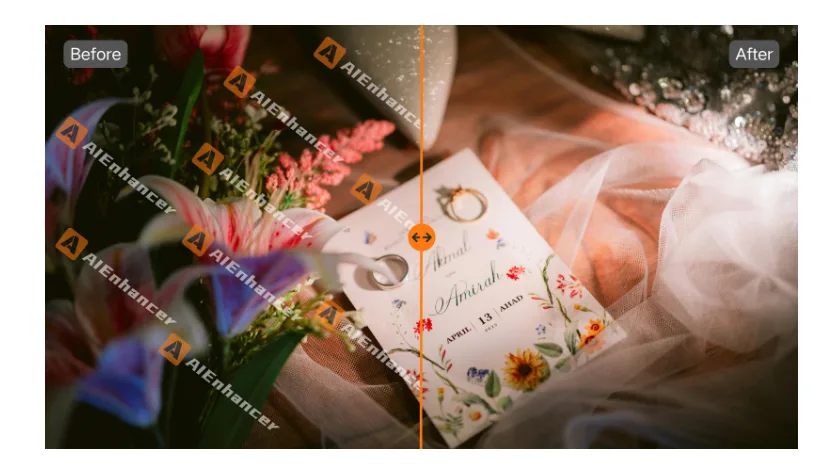
A watermark remover that simply deletes pixels often leaves traces behind. AIEnhancer analyzes what surrounds the mark, rebuilding textures and colors so the image feels whole again. This matters especially for detailed backgrounds, where the eye quickly catches anything that looks artificial.
One approach across different image types
Watermarks don’t appear in a single format. They show up on photos, screenshots, illustrations, scanned documents, and mixed visuals. AIEnhancer applies the same watermark remover logic across these formats, without forcing users to adjust settings or learn different workflows. The consistency saves time and reduces trial and error.
Visual quality that survives reuse
Removing a watermark is only useful if the image can still be reused confidently. AIEnhancer focuses on keeping edges sharp and tones stable after cleanup. This makes the watermark remover suitable not just for one-off fixes, but for images that will be cropped, resized, or shared again later.
Cleanup as Part of a Larger Editing Flow
When removal is only the first step
After a watermark is gone, images often reveal other needs. A background feels too tight. The proportions don’t fit a new platform. Something minor still feels off. AIEnhancer treats the watermark remover as an entry point, not a dead end, allowing users to decide how far they want to take the image.
Prompt-driven editing without heavy tools
For users who want to explore changes without complex interfaces, the AI image editor offers a different approach. You upload an image, choose a model and output ratio, and describe the change in words. This makes it easy to continue refining an image after using the watermark remover, especially when experimenting with variations.
Freedom to stop or continue
Not every image needs more work. Sometimes the watermark remover does enough, and that’s the end of the task. Other times, users move into editing and enhancement. The separation between tools matters because it respects different intentions. AIEnhancer doesn’t force a linear process.
Everyday Scenarios Where Watermark Removal Matters
Marketing assets under tight deadlines
Campaign images often come from multiple sources. Some arrive with marks that weren’t an issue during planning but become blockers during launch. A fast watermark remover helps teams clean visuals quickly and stay focused on messaging rather than tools.
Content reuse across platforms
Images reused for blogs, social posts, or presentations often carry leftovers from earlier versions. Removing these marks with a watermark remover makes content feel intentional again, even when it’s repurposed months later.
Personal archives and long-term projects
Not all use cases are commercial. Personal photo collections and long-running projects often include images saved from previews or older platforms. Using a watermark remover in these contexts feels less like editing and more like restoring clarity to memories or records.
What Makes AIEnhancer Feel Reliable Over Time
Tools designed for repetition
A watermark remover isn’t impressive because it works once. It earns trust by working every time. AIEnhancer focuses on predictability, so users don’t have to inspect results pixel by pixel. Over time, the tool becomes part of a routine rather than a decision.
Less interface, more outcome
AIEnhancer keeps interactions minimal. Upload, process, move on. This simplicity lowers the mental cost of cleanup. When removing a watermark feels lighter than ignoring it, people fix images instead of postponing them.
A quiet improvement to everyday workflows
The biggest advantage of a good watermark remover is subtle. Projects move faster. Fewer images get abandoned. Visuals feel finished more often. AIEnhancer supports this shift without demanding attention, which is often the best kind of tool design.
Closing Thoughts on Removing Friction from Images
Images rarely fail because they are unusable. They fail because small issues interrupt progress. A reliable watermark remover helps remove those interruptions, turning “almost ready” visuals into assets that can move forward. AIEnhancer focuses on these practical moments, where cleanup protects momentum and lets ideas reach their next stage without unnecessary delay.